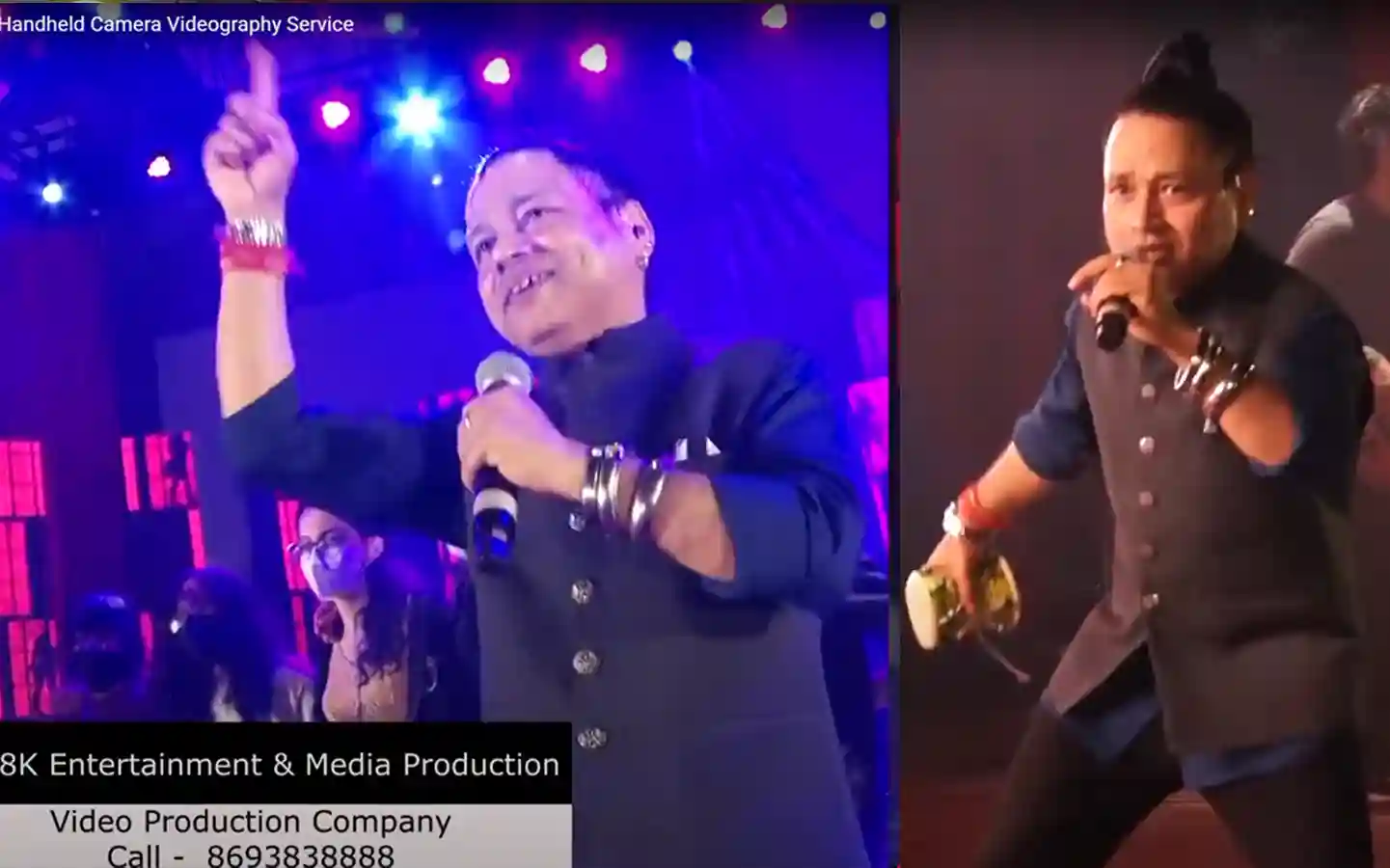


Multi camera production has become an essential part of modern event coverage. Whether it is a concert, conference, corporate event, or live broadcast, using multiple cameras helps create a more professional and cinematic viewing experience.
Instead of relying on a single static angle, a multi camera production workflow allows video teams to capture wide shots, close ups, audience reactions, and profile shots all at the same time. The result feels dynamic, engaging, and polished.
The best part is that a proper multi camera setup can also save a huge amount of editing time. With the help of a video mixer and live switching, the final output can be delivered immediately after the event without waiting days for post production editing.
In this guide, you will learn how to set up a multi camera production workflow step by step, including camera placement, video mixer setup, SDI connections, wireless video transmission, communication systems, and recording workflow.
A multi camera production workflow is a live video production process where multiple cameras are connected to a video mixer or switcher. The video mixer operator switches between different camera angles in real time to create a final master output.
This workflow is widely used for:
Live concerts, Corporate events, Sports coverage, Award shows, Talk shows, Conferences and seminars.
Instead of editing multiple camera files later, the live switching process creates a ready to use final video during the event itself.
The first and most important step is selecting the right cameras.
For professional event production, it is always recommended to use:
High definition cameras
4K cameras
Cameras with SDI output
Cameras with HDMI output
SDI and HDMI outputs are necessary because they allow live video signals to be sent directly to the video mixer.
SDI Connection
SDI cables are mainly used for professional productions because they support long distance video transmission without signal loss.
Benefits of SDI:
Reliable connection
Long cable runs
Professional locking connectors
Better for large venues
HDMI Connection
HDMI works well for shorter distances and smaller productions.
Benefits of HDMI:
Affordable
Easy to set up
Common on many cameras
However, HDMI cables are less reliable over long distances compared to SDI.
Camera placement plays a huge role in creating professional event coverage. Each camera should have a specific purpose.
For the best results, the camera should usually be placed in the center position facing the stage or subject directly.
Purpose of Camera 1:
Wide angle coverage
Master long shot
Full stage view
Safe backup shot
This camera acts as the primary reference shot throughout the event.
The second camera should be positioned next to Camera 1 but slightly angled for tighter framing.
Purpose of Camera 2:
Close up shots
Speaker reactions
Medium framing
Detailed visuals
This camera helps capture expressions and important moments more closely.
The third camera is usually the most flexible camera in the setup.
This camera can be:
Handheld
Tripod mounted
Profile angle camera
Audience reaction camera
The ideal position is generally on the front side of the audience, either left or right of the stage.
Purpose of Camera 3:
Audience reactions
Profile shots
Creative movement
Dynamic event coverage
This camera adds cinematic value and energy to the final production.
Once camera placement is complete, all camera outputs need to be connected to the video mixer or video switcher.
For long distance camera placement, SDI cables are highly recommended because they maintain stable signal quality across large venues.
Professional productions commonly use SDI for:
Concerts
Large conferences
Outdoor events
Broadcast productions
HDMI can still work effectively for shorter setups where cameras are positioned close to the video mixer.
Modern productions also use wireless video transmitters to avoid long cable runs.
Wireless transmitters allow cameras to send video signals directly to the video mixer without physical cables.
Benefits of wireless video transmission:
Cleaner setup
Faster camera movement
Less cable management
Better flexibility for handheld cameras
Popular wireless systems include:
Hollyland
Teradek
Accsoon
Wireless systems are especially useful for moving cameras during live productions.
The video mixer is the heart of the entire multi camera production workflow.
All camera feeds are connected to the mixer and labeled correctly as:
Cam 1
Cam 2
Cam 3
The video switcher operator uses the mixer to select which camera appears live at any moment during the event.
During the live event, the video mixer operator continuously monitors all camera feeds.
Using the mixer buttons, the operator can instantly switch between:
Wide shots
Close ups
Audience reactions
Profile angles
The operator chooses the best camera angle based on what is happening live on stage.
A skilled video switcher operator is extremely important because the quality of the final production depends heavily on real time camera decisions.
The video mixer generates a master output that combines all live camera cuts into one final video feed.
This output is usually connected to:
A small external recorder
Internal recording hardware
Streaming encoder
The final recorded file already contains all live camera switching decisions.
This means:
No major editing required
Instant delivery possible
Faster production workflow
Once the event ends, the client can immediately receive the final master copy.

One of the biggest advantages of live multi camera production is time efficiency.
Without a video mixer workflow, editors would need to:
Import multiple camera files
Sync all footage
Switch angles manually
Render final edits
This process can take hours or even days.
With live switching, most of the editing work happens during the event itself.
The final video is already edited live by the video switcher operator.
Professional productions rely heavily on communication systems.
Camera operators usually wear:
Talkback headsets
Intercom systems
Wireless communication devices
The video mixer operator communicates directly with camera operators throughout the event.
For example:
Move for close shot
Take audience reaction
Follow speaker movement
Prepare profile shot
This communication ensures smooth coordination between all production crew members.
Even though the final master output is recorded from the video mixer, many productions still record internally on each camera.
This creates:
Backup footage
Additional editing flexibility
Safety protection against recording failure
If needed, editors can later use individual camera recordings for corrections or highlight edits.
A professional multi camera workflow usually includes:
A multi camera production workflow is a system where multiple cameras are connected to a video mixer for live switching and recording.
SDI supports long distance cable runs and provides a more stable connection compared to HDMI.
The video mixer operator selects and switches between different camera angles live during the event.
Individual camera recordings act as backup footage and provide flexibility for future editing.
Yes. Wireless video transmitters allow cameras to send video feeds without physical cables, making setups cleaner and more flexible.
Final Thoughts
A professional multi camera production workflow can completely transform the quality of live event coverage. By combining multiple camera angles, live switching, proper communication, and efficient recording systems, production teams can create polished videos that look cinematic and professional.
More importantly, this workflow saves valuable editing time because the final video is already switched live during the event. Clients can receive a finished master copy almost immediately after the production ends.
Whether you are producing concerts, corporate events, weddings, or livestreams, understanding how to set up and manage a multi camera production workflow is an essential skill in modern video production.
To know more about our Multicam production service check our Multi Camera Production page
We are also available on JUST DIAL